
Type in your language, anywhere!
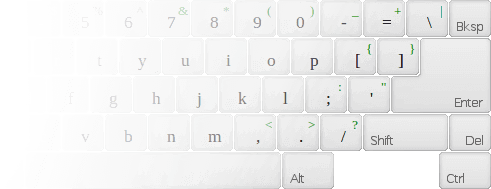
Popular Keyboards
Type online in any of these languages. Click a keyboard to start.
 Hebrewעברית
 Arabicالعربية
 Farsi-Persianفارسی
 Hindiहिन्दी
 Korean한국어
 Urduاردو
 Japanese日本語
 RussianРусский
 Tamilதமிழ்
 Bengaliবাংলা
 Teluguతెలుగు
 Malayalamമലയാളം
 Thaiไทย
 GreekΕλληνικά
 VietnameseTiếng Việt
 Chinese中文
 Georgianქართული
 TurkishTürkçe
 Gujaratiગુજરાતી
 Punjabiਪੰਜਾਬੀ
 Kannadaಕನ್ನಡ
 Marathiमराठी
 Khmerខ្មែរ
 Nepaliनेपाली
...and 170+ more. Choose any language from the dropdown above.
How It Works
Select Your Language
Choose from over 170 online keyboard layouts in the language and script you need.
Type Using the Virtual Keyboard
Click keys on the on-screen keyboard, or type using your physical keyboard with the layout guide.
Copy, Translate & Share
Copy your text, translate it, search Google or Wikipedia, or send it via email. No download needed.
Who Uses Gate2Home?
Travelers
At a hotel or internet cafe? Type in your native language on any computer, no installation needed.
Students
Working on a foreign-language assignment? Practice typing in the script you are studying. Supports special characters and accent marks.
Professionals
Write emails and documents in multiple languages without messing with OS keyboard settings.
Social Media Users
Post and chat in your native script on any platform. Works on phones and tablets too.